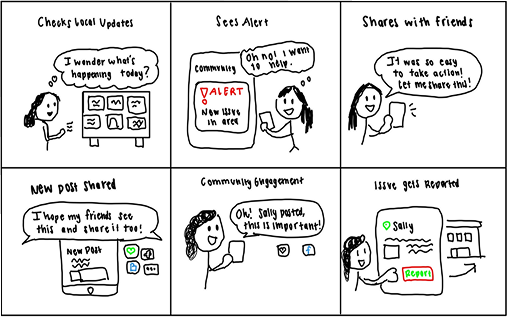
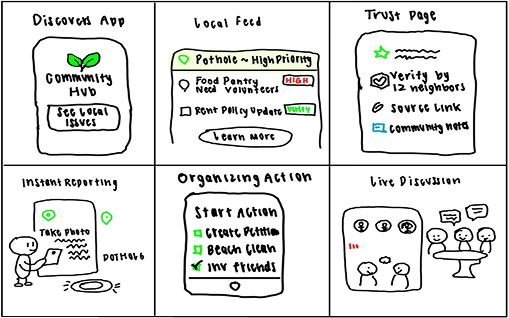
To accurately determine the overall design of our application, we decided to create two key storyboards that
highlight our core features and a typical user’s interactions with them.
User Thought Process
The storyboard highlights the actions and thoughts of a typical user. The user opens our application to
identify potential ongoing issues in their community. From there the user sees an issue important to them
and shares it with their friends. This generates community engagement and gives more attention to the
issue so that it can be reported and solved.
Storyboard: user thought process
Application Features
The storyboard demonstrates core features: a local feed for quickly identifying events and community needs,
a verification page to review posts and ensure credibility, a reporting page to identify and update issues,
an action page to select important topics, and a live discussion page for community interaction.
Storyboard: core features
Task Flow:
Task Flow Overview
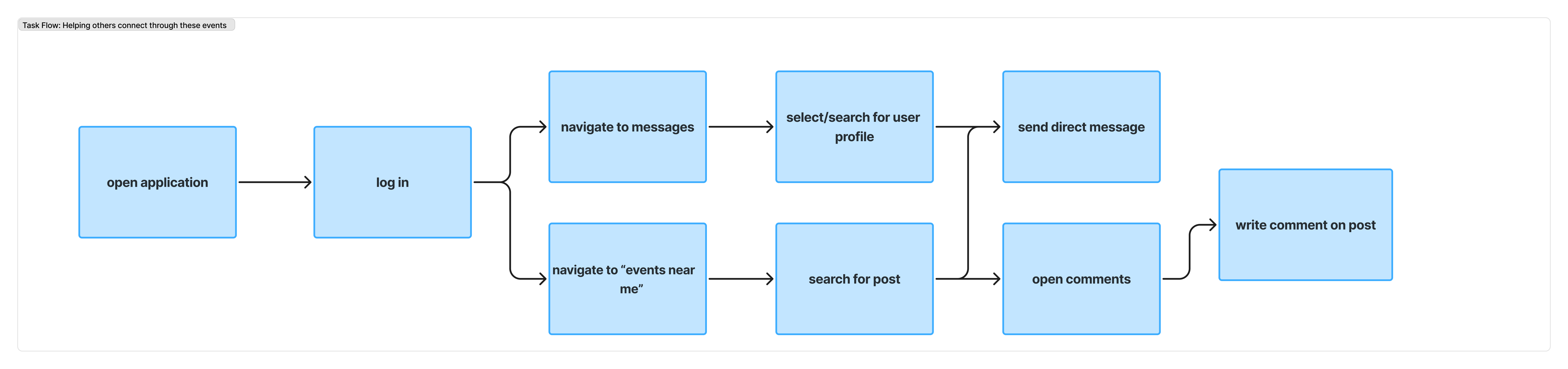
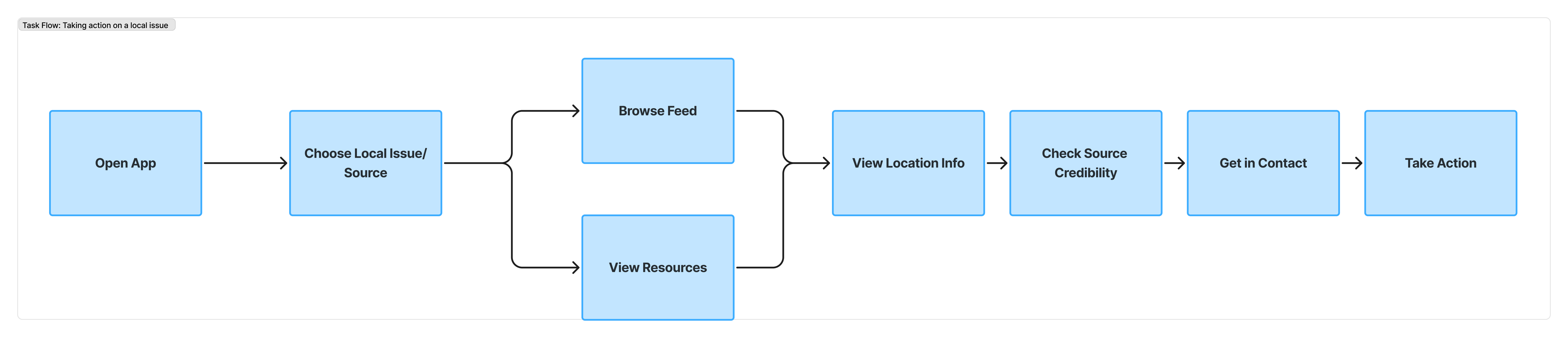
These task flows highlight four core tasks: sharing resources/issues with others, finding a local event,
helping others connect through events, and taking action on local issues. Click on the image to expand the diagram.
Task Flow: Sharing resources & issues with others
Task flow: Sharing resources
Task Flow: Finding an local event
Task flow: events
Task Flow: Helping others connect
Task flow: connect
Task Flow: Taking action on a local issue
Task flow: action
User Flow:
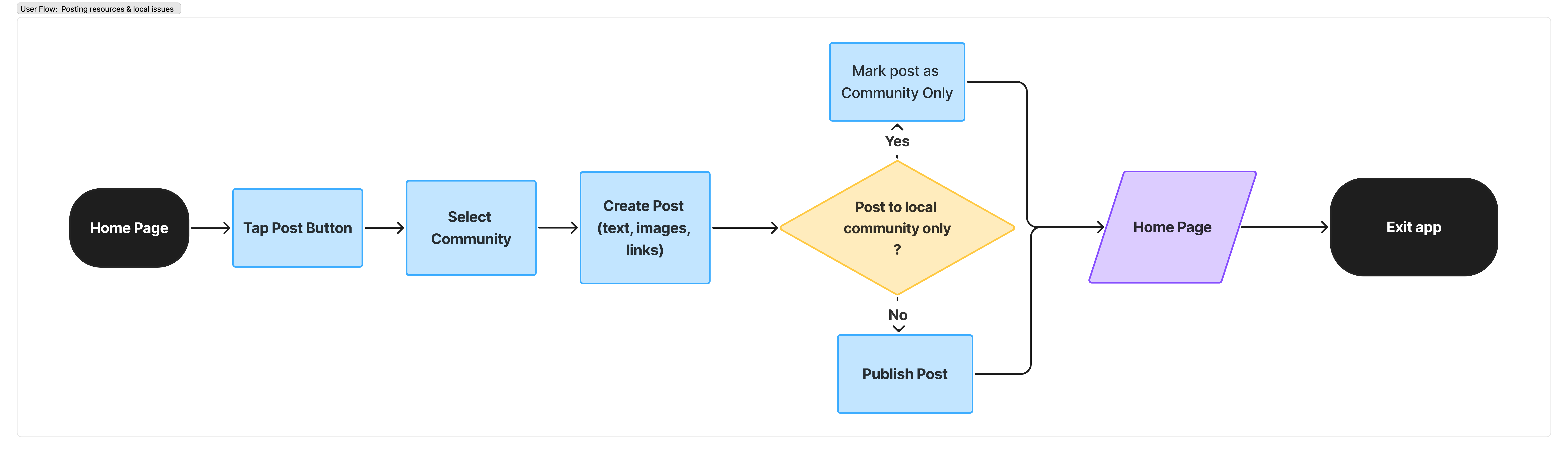
User Flow: Posting resources & local issues
This user flow explores how a user posts a local resource/issue: open app, select community, create post,
choose post type, and return home.
User flow: posting
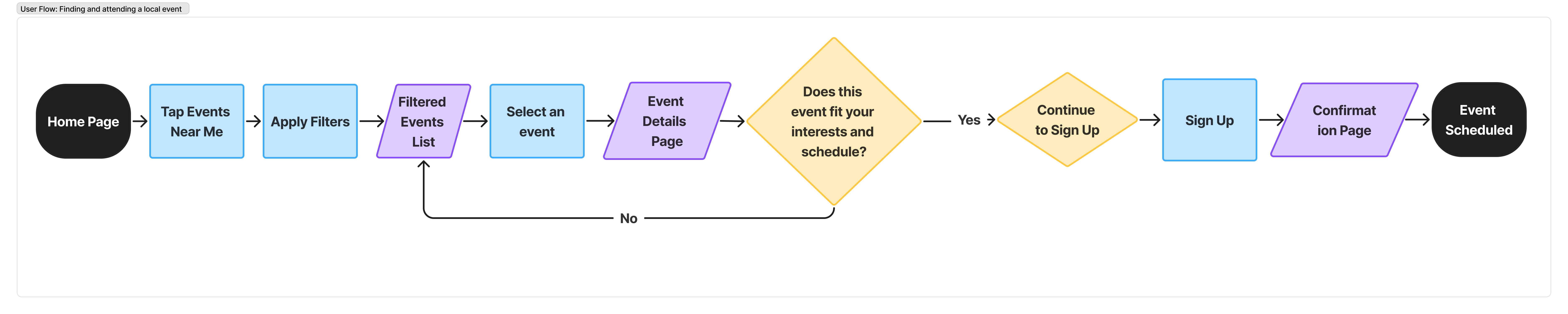
User Flow: Finding and attending a local event
This flow shows how a user finds an event: filter events, select, check schedule fit, sign up, and attend.
User flow: events
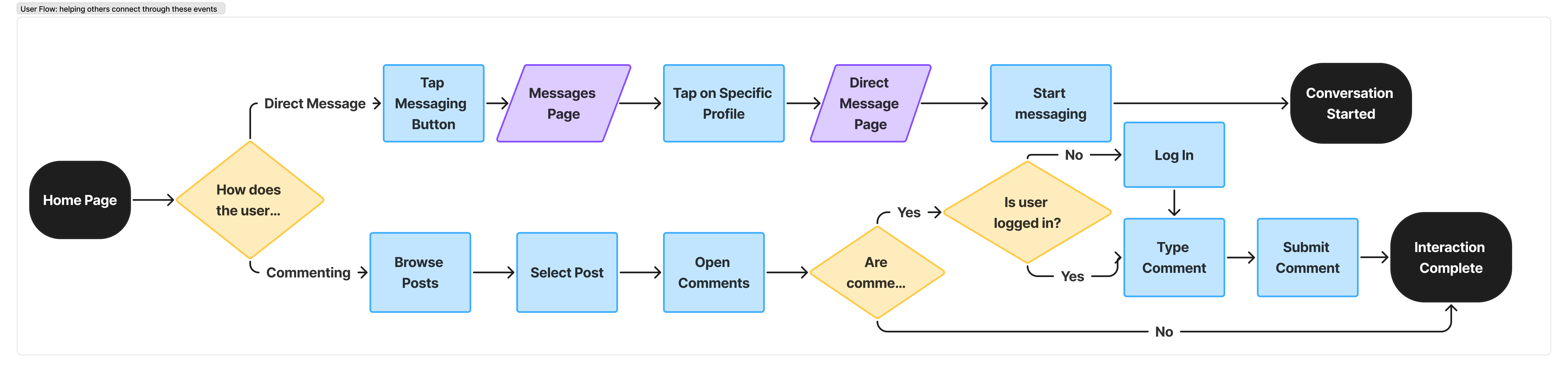
User Flow: Helping others connect
Users can connect via direct messages or by commenting on posts (when logged in) to coordinate with others.
User flow: connect
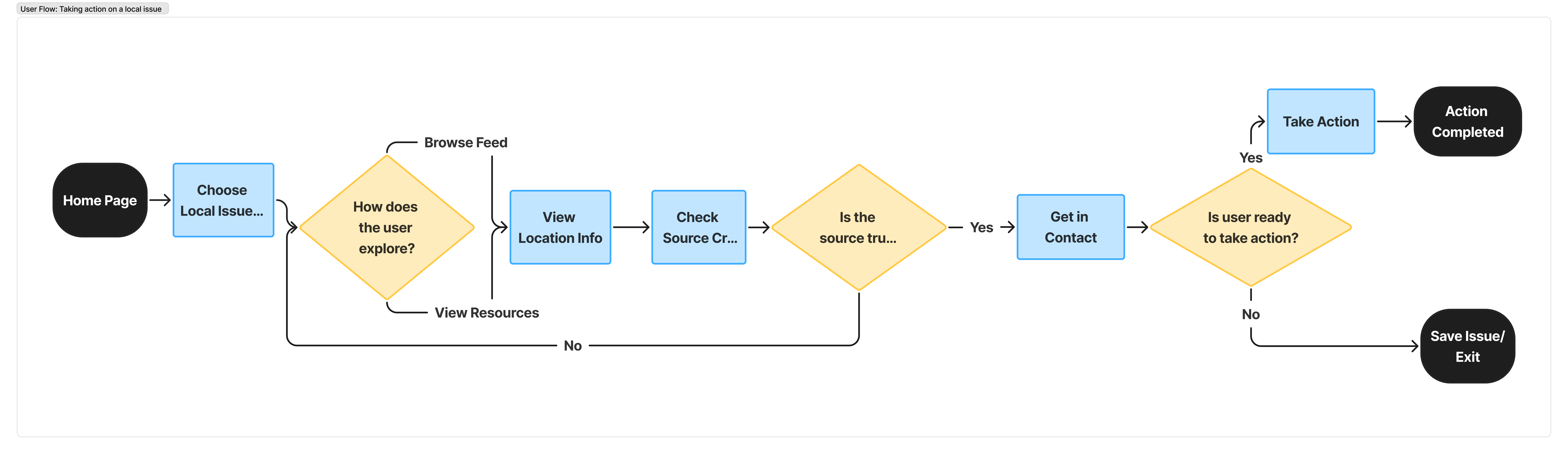
User Flow: Taking action on a local issue
Users browse feed/resources, verify location + credibility, contact source, and take action now or save for later.
User flow: action
Final Prototype:
Interactive Final Prototype
Our final prototype is a high-fidelity, clickable Figma design that reflects the improvements made from both user testing and heuristic evaluation. We focused on making the interface more intuitive by improving navigation, increasing feedback when users interact with elements, and refining the ‘organize’ feature so it is clearer and easier to use. (To interact, please use the expand button in the top right)
Final prototype embedded from Figma
Design Guide
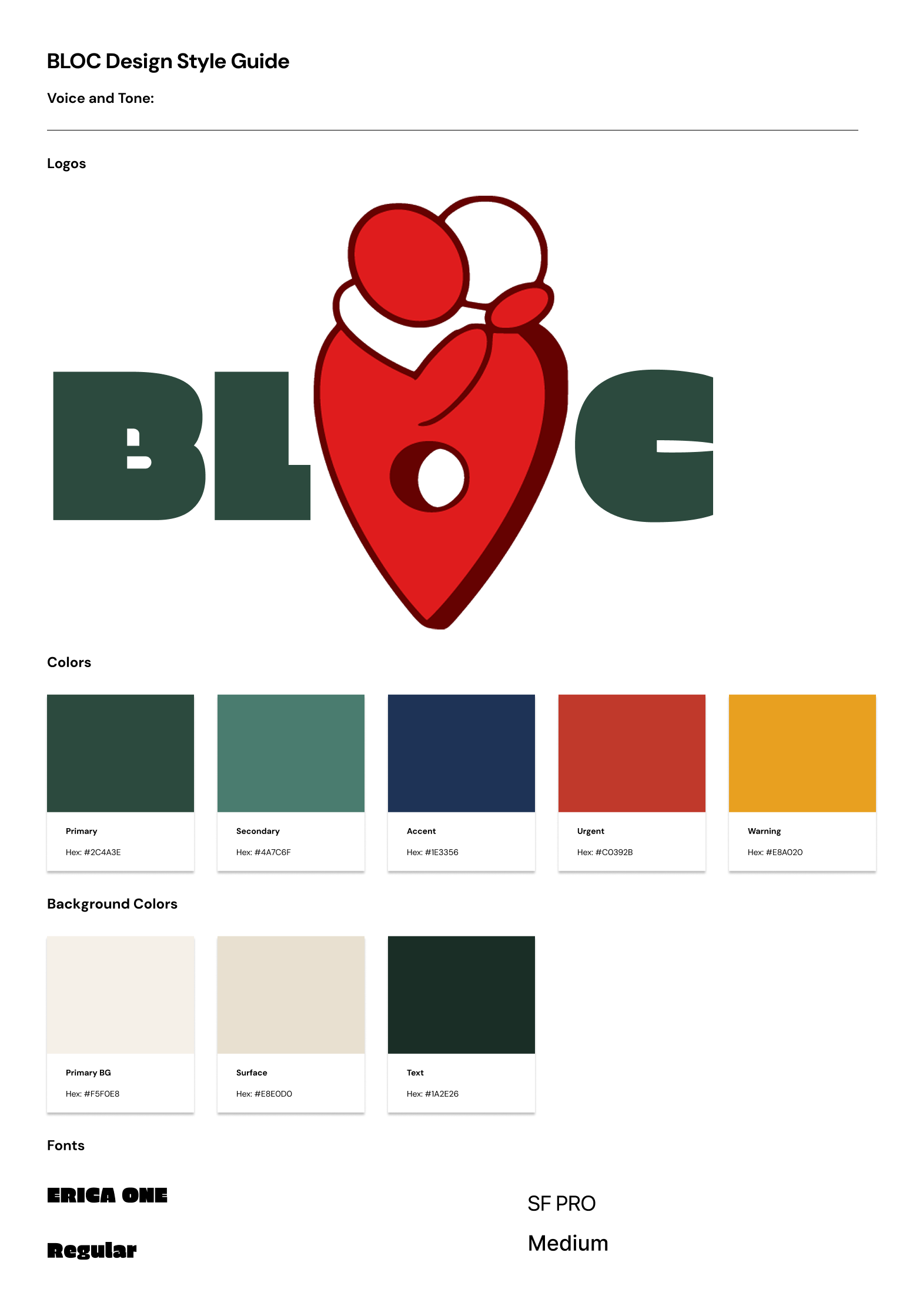
Our design guide focused on creating a visual language that felt grounded, calm, and community-oriented.
We chose muted and earthy colors because we felt they best represented our app’s theme and the kinds of
local, real-world issues it is centered around.
BLOC Design Style Guide
Initial Mockups:
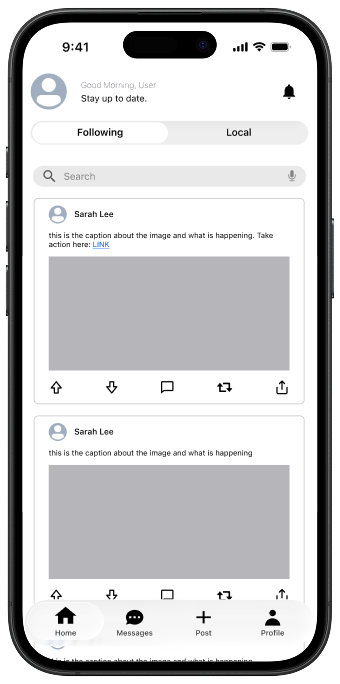
Home Page
The home page helps users stay updated with local events and issues, and interact with posts by upvoting,
commenting, and reposting/sharing.
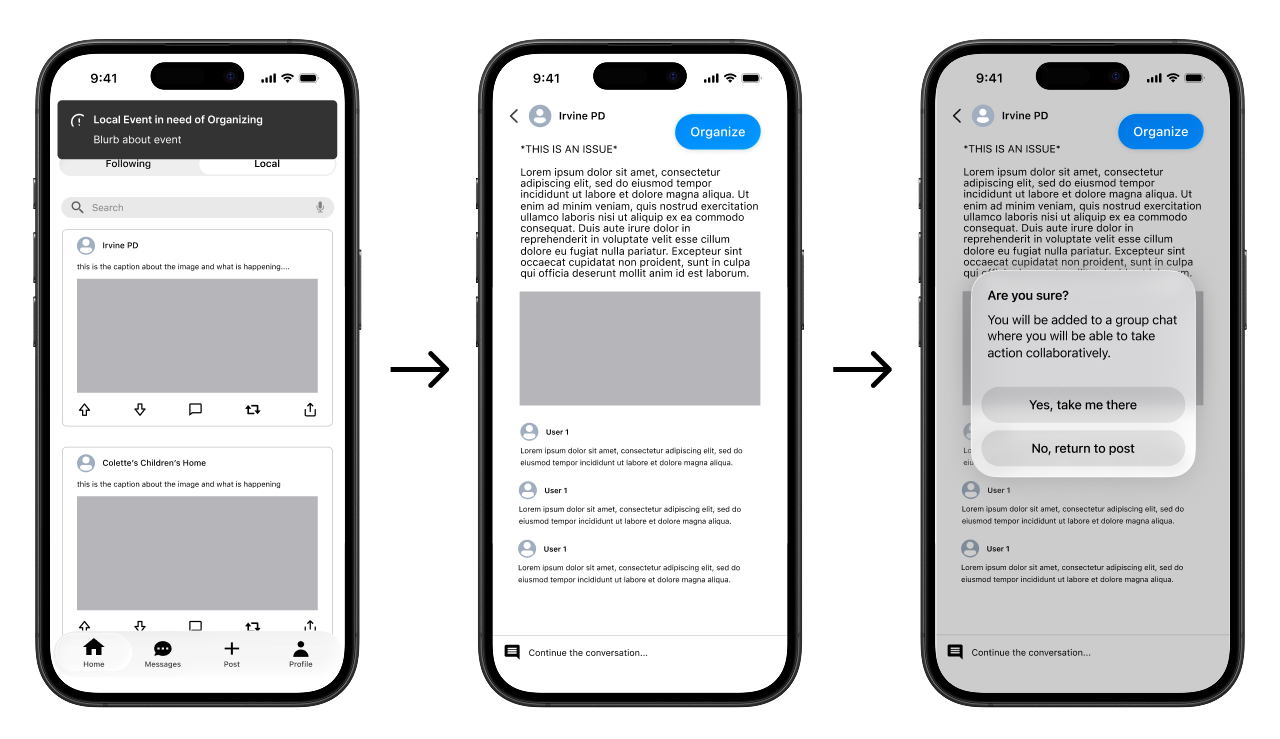
Organize
Users receive notifications about issues that need organizing. Clicking navigates them to the post. If they
choose to contribute, they tap Organize and confirm joining a group chat to take action collaboratively.
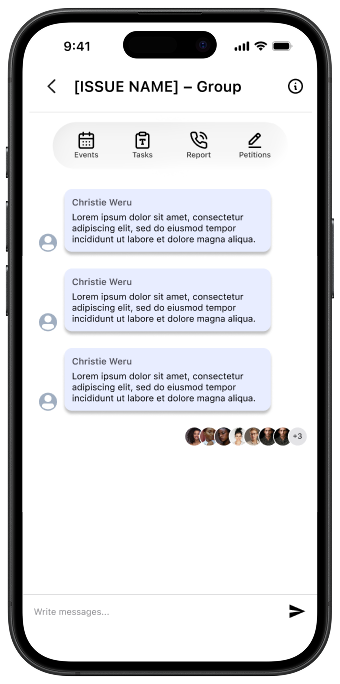
Groups
Groups provide a centralized platform to collaborate and take action: organizing events, managing tasks,
reporting issues, and discussing through messaging.
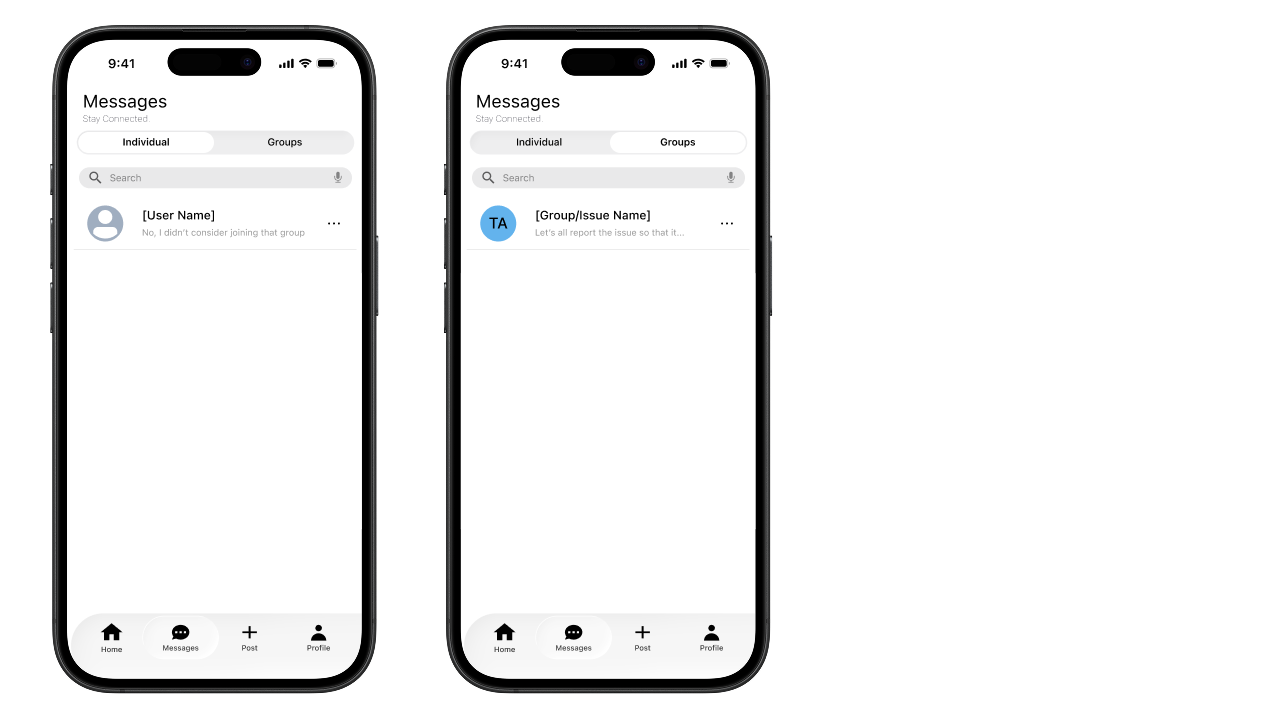
Messages
Users can stay connected and message others individually or within groups.
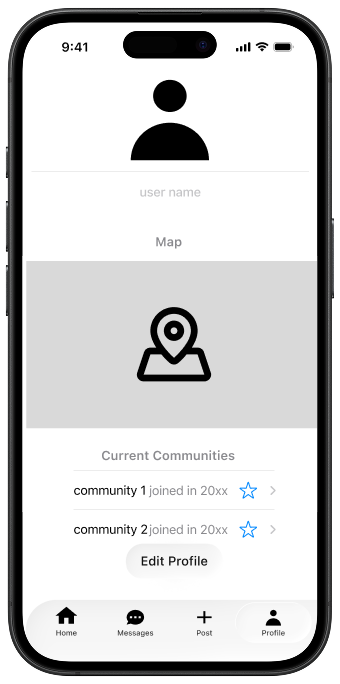
Settings
The settings profile allows users to edit their username, location, and communities for a tailored experience.
How Research Informed Our Design
Our prototype is grounded in key insights gathered from user research, highlighting core needs: timely access
to important issues, a centralized way to take immediate action, and meaningful connection with peers. These
insights shaped our storyboarding, task flow, and user flow development. To support timely awareness, we
designed real-time notifications. To reduce friction between awareness and action, we created a centralized
Groups hub with clear action paths. To support sustained engagement, we incorporated messaging for connection
and collaboration.